


Action News Jax
4.3415.00 Reviews
App Specs
- Version
- Varies with Device
- Updated On
- License
- Free
- Downloads
- 100,000+
- Developer
- Cox Media Group Inc.
- Categories
- News & Magazines
- Platform
- Android
Screenshots



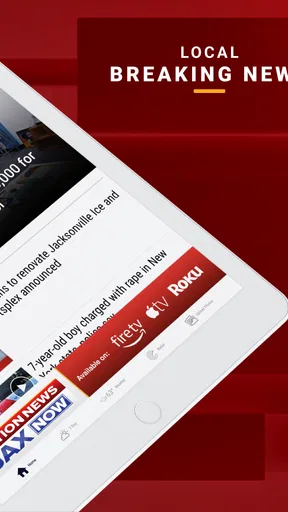
 Analysis by AppCompare
I found Action News Jax most useful when I wanted a quick local update without sorting through a national news app first. It is a free news and magazines app from Cox Media Group Inc., built around Jacksonville coverage, weather, and sports. That focus makes it easier to reach the information that matters during an ordinary day, but it also means the experience is narrower than a broad news reader.
My overall impression is practical rather than flashy. This is the kind of app I would keep for local awareness: checking conditions before leaving home, scanning the morning headlines, or following a Jacksonville sports story while away from a television. It is available to an Everyone audience, has passed the one-hundred-thousand-install mark, and holds a 4.3 average from roughly one-point-two thousand ratings. Those figures suggest a healthy local audience, though they do not change the main question: whether its Jacksonville-first approach fits your routine.
What makes the local focus useful
The strongest reason to choose this app is that it puts regional information ahead of the endless stream of national stories found in general-purpose news services. If I am trying to understand what is happening around Jacksonville, a locally oriented app is usually more efficient than opening a national publication and searching for the city.
The three main areas—news, weather, and sports—also cover the situations in which I am most likely to need a local source. News helps with community developments and breaking events. Weather is useful for deciding whether a commute, school run, or outdoor plan needs adjusting. Sports gives the app a reason to stay relevant after the morning headlines are finished.
That combination is more valuable than it may look at first. A dedicated weather app may offer deeper forecasting tools, while a specialist sports service may provide more detailed statistics. However, I like having a single local starting point when I want a quick overview rather than a deep dive. The app works best as a local briefing tool, not as a complete replacement for every specialized service.
The app has been available since February twenty-third, two-thousand eleven, which gives it a long history compared with many short-lived mobile news products. Its developer, Cox Media Group Inc., is clearly associated with the local-news purpose here. I would not install it expecting a general international news library; I would install it because Jacksonville is the place I need to follow.
Where the first-use experience can slow you down
The first point of friction is deciding what you actually want from a local news app. If you expect a single screen to behave like a newspaper, radar service, live sports tracker, and social feed at the same time, the experience may feel less focused than expected. I had to approach it as a convenient local hub rather than a tool designed to replace every other information source.
Worth Reading Before You Choose

EA SPORTS FC Mobile 26 Is a Bigger Football Game, but It Takes Time

Flipboard Shows What News Apps Must Do Beyond the Feed

Switching to Android Auto Means Rethinking Your Driving Routine

Google Calendar Makes a Crowded Week Easier to Manage

Ludo King Makes the Most of the Minutes Between Plans

Baby Panda World Brings Quick Play to Modern Phones, but Its Game Library Feels Busy
Another likely sticking point is prioritization. Local news apps can present several kinds of updates side by side, and the most urgent item is not always the item I personally care about. When I open the app in a hurry, I find it better to identify whether I am checking headlines, weather, or sports before browsing. That small habit reduces aimless scrolling and makes the app feel faster even when the problem is really my search process.
Readers should also keep their expectations realistic about local coverage. Jacksonville-focused reporting is the central value, but someone who mainly follows national politics, international events, financial markets, or specialist technology news will probably need another app. This is not a weakness in the local design; it is the trade-off that makes the regional focus useful.
I would also avoid judging the app solely by how it behaves during a major breaking event. High-interest stories can make any news service feel crowded or less predictable because many people are checking at once and the editorial priorities change quickly. If a page seems slow or an item does not appear immediately, I first give the app a moment, then try a simple refresh or reopen it before assuming something is permanently wrong.
Simple checks before blaming the app
When a news app appears not to update, I start with the basics. I check whether other apps can access the internet, then switch between the available connection options if I am on an unstable network. A weak connection can make a headline list look incomplete, leave a weather area waiting, or give the impression that a story has not changed.
I also check the phone's date and time settings. News and weather information depend on timing, and an incorrect device clock can make an update feel out of order. This is a small detail, but it is especially relevant when I am comparing what I see in the app with a television report or another local source.
If the app opens but displays an old-looking screen, I close it fully and launch it again. I do not immediately clear all app information, because that can create unnecessary setup work. A restart is the safer first step. I then move to another section and return to the original one, since a temporary loading issue may affect one view rather than the entire application.
Keeping the app updated through the normal app store process is another sensible check. I would not assume that every problem requires a new version, but an outdated installation can behave differently from the current release. I also leave some free storage on the device; a phone that is nearly full can cause broad problems with updates and temporary files, not just with this app.
For weather-related confusion, I compare the app's information with the conditions outside and with a second trusted source before making an important decision. Weather changes quickly, and a short delay or a difference in presentation does not automatically mean the app is broken. For travel, outdoor work, or safety decisions, I prefer confirmation rather than relying on one screen.
A recovery routine that avoids wasted effort
My recovery routine is deliberately gradual. First, I confirm the connection and reopen the app. Next, I check whether only one area is affected or whether news, weather, and sports all fail in the same way. That distinction is useful: a single section may be experiencing a temporary loading problem, while a complete failure points more toward the device, connection, or app installation.
If the screen still behaves strangely, I restart the phone. It sounds obvious, but it clears temporary system problems without changing my broader settings. I only consider more disruptive steps after that, such as reinstalling the app, because reinstalling can remove local state and force me to set things up again.
Before reinstalling, I make a note of the behavior I want to describe: whether the app crashes during launch, whether a particular section remains blank, or whether content loads but refuses to refresh. That information is much more useful when contacting support than saying only that “the app does not work.” It also helps me avoid repeating the same action without learning anything from the result.
If I am in a hurry, I use a second route for the immediate information while treating the app problem separately. For example, I might use another trusted weather source for a time-sensitive travel decision, then return to Action News Jax later for local headlines. This is not a criticism of the app; it is a sensible workflow for any single-source news habit.
One practical tip is to avoid opening several news pages repeatedly while the connection is unstable. I find that waiting for one section to finish, then moving to the next, gives a clearer picture of what is actually available. Rapidly tapping through multiple screens can make a temporary network delay look like several separate failures.
When the phone or network is really responsible
It is easy to blame a news app when the real issue is the device. If other applications are also slow, the phone may be under heavy system load or dealing with limited storage. If only mobile data is unreliable while Wi-Fi works normally, the connection is a more likely explanation than the local news software.
Battery-saving settings can also affect how I experience an app, particularly if I expect information to be ready the instant I open it. I do not assume that background behavior is guaranteed, so I open the app when I need current information instead of treating it as a silent alert system. This is a useful distinction: a news reader can be excellent for checking updates without being the same thing as an emergency notification service.
Location confusion is another area where I slow down before drawing conclusions. Jacksonville coverage is the point of the app, but my phone's current location, network, or regional context may not match what I expect. I check the city or local area shown in the relevant part of the app and compare it with the place I actually need. That prevents me from treating a mismatch as a content error.
I also remember that headlines can change while I am reading them. A story may move lower in a list, receive an update, or be replaced by a newer item. That can feel like missing content when it is really normal news flow. If I need to return to something later, I make a note of its wording rather than relying on its exact position on the screen.
How I would use it during a normal day
My preferred routine starts with a short morning check. I open the app to see what local story deserves attention, then look at the weather before deciding what to wear or whether to change a commute plan. I do not spend a long time reading everything. The value comes from quickly identifying what affects Jacksonville today.
Before leaving for an appointment, I check the weather section again rather than relying only on the morning view. Conditions can change, and a second look is more useful than assuming the first check remains current. If the information appears delayed, I verify it with another source before making a safety-sensitive choice.
In the evening, the sports coverage gives me a reason to return even when there is no major local news story. I use it for awareness and quick reading, not as my only source for detailed game analysis or comprehensive statistics. That division of labor keeps the app useful without asking it to do a specialist service's job.
For someone new to Jacksonville, the app could also act as a simple orientation tool. Reading local stories over time can make the area feel less abstract than following only national outlets. A long-term resident may appreciate the same local emphasis for a different reason: it reduces the time spent filtering out information from places that do not affect daily life.
Who should install it, and who should choose something else
I would recommend it to Jacksonville residents, commuters, students, families, and anyone who wants local news alongside a convenient weather and sports check. It is particularly suitable for people who prefer one familiar local source instead of assembling several separate apps for basic awareness.
I would be more cautious about recommending it to readers outside the Jacksonville area. If local relevance is not part of your daily routine, the app's main advantage disappears. Likewise, people who want extensive international reporting, financial tools, advanced weather maps, or highly detailed sports data will likely be happier with specialist alternatives and may use this app only as a secondary local source.
The free price makes trying it straightforward, and the Everyone rating makes it broadly approachable for a household device. Still, “free” does not mean it will match every person's preferred reading style. Someone who wants a quiet, highly customizable news dashboard may find a broader aggregator more flexible. Someone who wants a strong editorial voice from one national publication may prefer that publication's own app.
Compared with a general news aggregator, this app saves filtering time for Jacksonville stories but offers less breadth. Compared with a standalone weather app, it is more convenient for a combined local check but is not the obvious choice for advanced forecasting. Compared with a dedicated sports app, it gives useful local context without necessarily being the deepest destination for fans who track every statistic.
My practical verdict after using it as a local hub
Action News Jax earns its place through focus. I like that its purpose is easy to understand: open it when Jacksonville news, weather, or sports is what I need. The experience is most satisfying when I use it in short sessions and give each section a clear job instead of expecting a complete replacement for every other information service.
The main friction is not the basic idea but the possibility of misreading a temporary loading issue, a changing headline list, or a device problem as a permanent app failure. Checking the connection, reopening the app, testing another section, and restarting the phone solves many ordinary situations without resorting to drastic measures. For urgent weather or safety decisions, I still verify important information elsewhere.
With a 4.3 average from around one-point-two thousand ratings and more than one-hundred-thousand installs, it has enough visible adoption to feel like an established local option. I would not choose it for broad national coverage, advanced forecasting, or exhaustive sports analysis. I would choose it for a quick Jacksonville briefing that fits naturally into a morning or evening routine.
My recommendation is therefore positive but specific: install it if Jacksonville is central to your life and you want local news, weather, and sports in one free app. Skip it if your interests are mostly outside the region or if you need specialist depth. Used within those boundaries, its local focus is a practical strength rather than a limitation.
Pros
- Fast local updates for Jacksonville and surrounding areas.
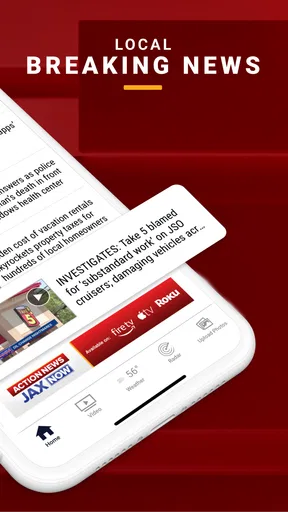
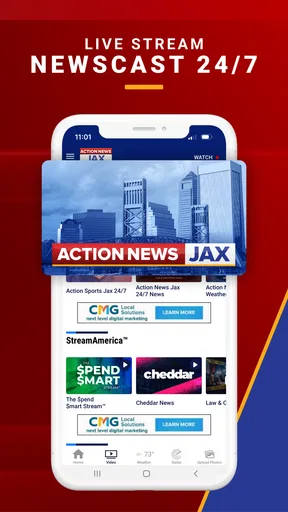
- Live newscasts help users follow breaking stories as they happen.
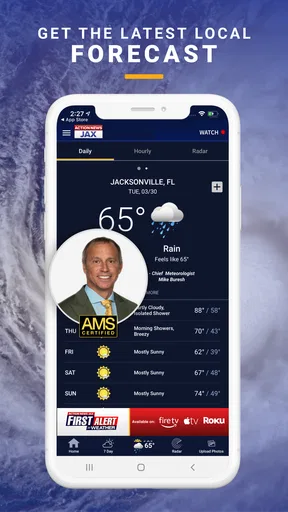
- Useful weather forecasts
- radar
- and severe weather alerts.
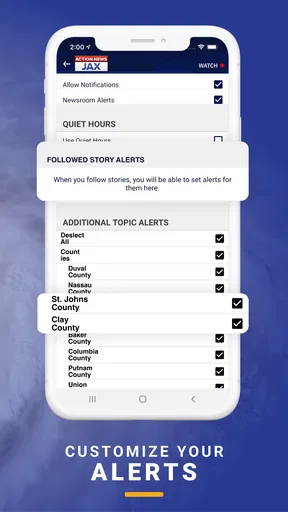
- Push notifications can highlight urgent local developments.
- Easy access to videos
- traffic reports
- and community coverage.
Cons
- Frequent notifications may feel excessive for some users.
- Some video content may require a stable
- fast internet connection.
- Advertising can make parts of the app feel less streamlined.
- Coverage is mainly regional and less useful outside northeast Florida.
- Weather and breaking-news alerts may occasionally arrive after events begin.
FAQs for Action News Jax
What is Action News Jax, and what can I use the app for?
Action News Jax is a local news application focused on Jacksonville, Florida, and surrounding communities. After exploring the app, its main purpose is to provide breaking news, weather updates, traffic information, live coverage, video reports, and stories from the station’s newsroom. It is especially useful if you want quick access to regional headlines rather than general national news.
Does Action News Jax provide live news, weather, and traffic updates?
Yes, the app is designed to keep users informed with live and frequently updated local content. Depending on the current coverage, you may find livestreams, breaking-news alerts, weather forecasts, radar information, severe-weather warnings, and traffic reports. Availability can vary by event and location, so some features may be more active during storms, major incidents, or important local developments.
Can I receive breaking-news and severe-weather notifications?
Action News Jax can send push notifications for important local events, breaking stories, weather emergencies, and other newsroom updates. During setup, you may be asked to allow notifications, and you can usually manage alert preferences through your device settings or the app itself. Keep in mind that enabling alerts may result in frequent messages, particularly during severe weather or major breaking-news situations.
Is Action News Jax free to download and use?
The application is generally available as a free download for supported Android and iOS devices. Users can normally browse news articles, watch available videos, check forecasts, and access other standard features without paying a subscription. However, mobile data charges may apply when streaming video or using the app away from Wi-Fi. Store availability and individual features can change over time.
Does Action News Jax require an account or collect personal information?
Many of the app’s basic news, weather, video, and traffic features can typically be used without creating a personal account. Nevertheless, the app may collect technical information, device identifiers, approximate location, usage data, or notification preferences to improve performance, advertising, personalization, and alerts. Before downloading, review the current privacy policy and app-store permissions, especially if privacy is an important concern.


